🏥 Ward Management
Define the hospital's ward structure — set ward types, capacity, daily rates, and let the system auto-generate beds based on your configuration.
Navigate to Hospital → Wards (or the Wards card on the Inpatient hub). Available to Hospital Admin, Ward Manager and Receptionist.
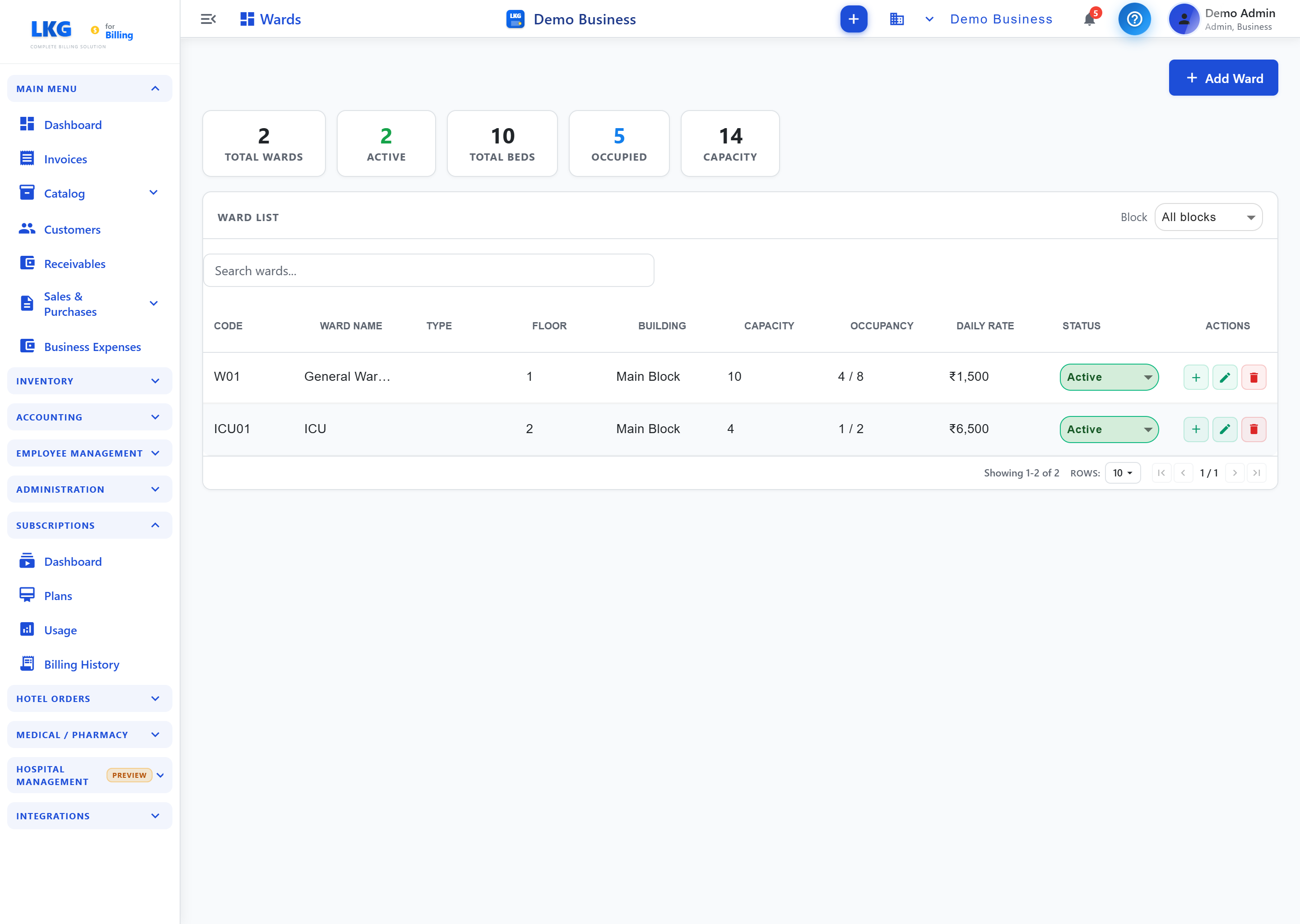
Overview
The Ward Management page lists all wards with their capacity and current occupancy.
Summary Cards
| Card | What It Shows |
|---|---|
| Total Wards | Number of wards configured |
| Active | Wards currently active |
| Total Beds | Beds across all wards |
| Occupied | Beds currently occupied |
| Capacity | Total bed capacity |
Table Columns
Filter by Block and search wards. Each ward row shows:
| Column | Description |
|---|---|
| Code | Unique ward identifier (e.g., GEN-01, ICU-01) |
| Ward Name | Ward display name |
| Type | Ward category |
| Floor | Floor number |
| Building | Building or block name |
| Capacity | Number of beds the ward holds |
| Occupancy | Occupied / available (e.g. 4 / 8) |
| Daily Rate | Default charge per bed per day (₹) |
| Status | Active or Inactive |
| Actions | Add bed, edit, delete |
Ward Types
| Type | Description |
|---|---|
| General | Standard open ward for general patients |
| Private | Single-patient private rooms |
| Semi-Private | Shared rooms with 2–4 patients |
| ICU | Intensive Care Unit |
| Maternity | Labour and delivery / postnatal ward |
| Pediatric | Children's ward |
| Emergency | Emergency treatment area |
| Isolation | Infection control / isolation ward |
Creating a Ward
- Click + New Ward
- Fill in the ward details:
| Field | Required | Description |
|---|---|---|
| Code | Yes | Unique identifier (e.g., GEN-01) |
| Name | Yes | Descriptive ward name |
| Ward Type | Yes | Select from available types |
| Floor Number | No | Which floor the ward is on |
| Building | No | Building or block name |
| Capacity | Yes | Number of beds to create |
| Daily Rate | No | Default charge per bed per day |
| Status | Yes | Active or Inactive |
- Click Save — beds are automatically generated up to the target capacity (named B-01, B-02, etc.)
Editing a Ward
Updating the Capacity field will automatically add or remove beds to match the new target.
Reducing capacity removes the last-created beds. Ensure those beds are unoccupied before reducing capacity.
Deleting a Ward
Click Delete on a ward row. All beds in the ward are also deleted.
Deleting a ward permanently removes all its beds and associated data. Only delete empty, inactive wards.