Consultations
Doctors record a patient visit through the New Consultation form, reached from Medical / Pharmacy → New Consultation (or from a patient's record, an appointment, or a bed/OT action).
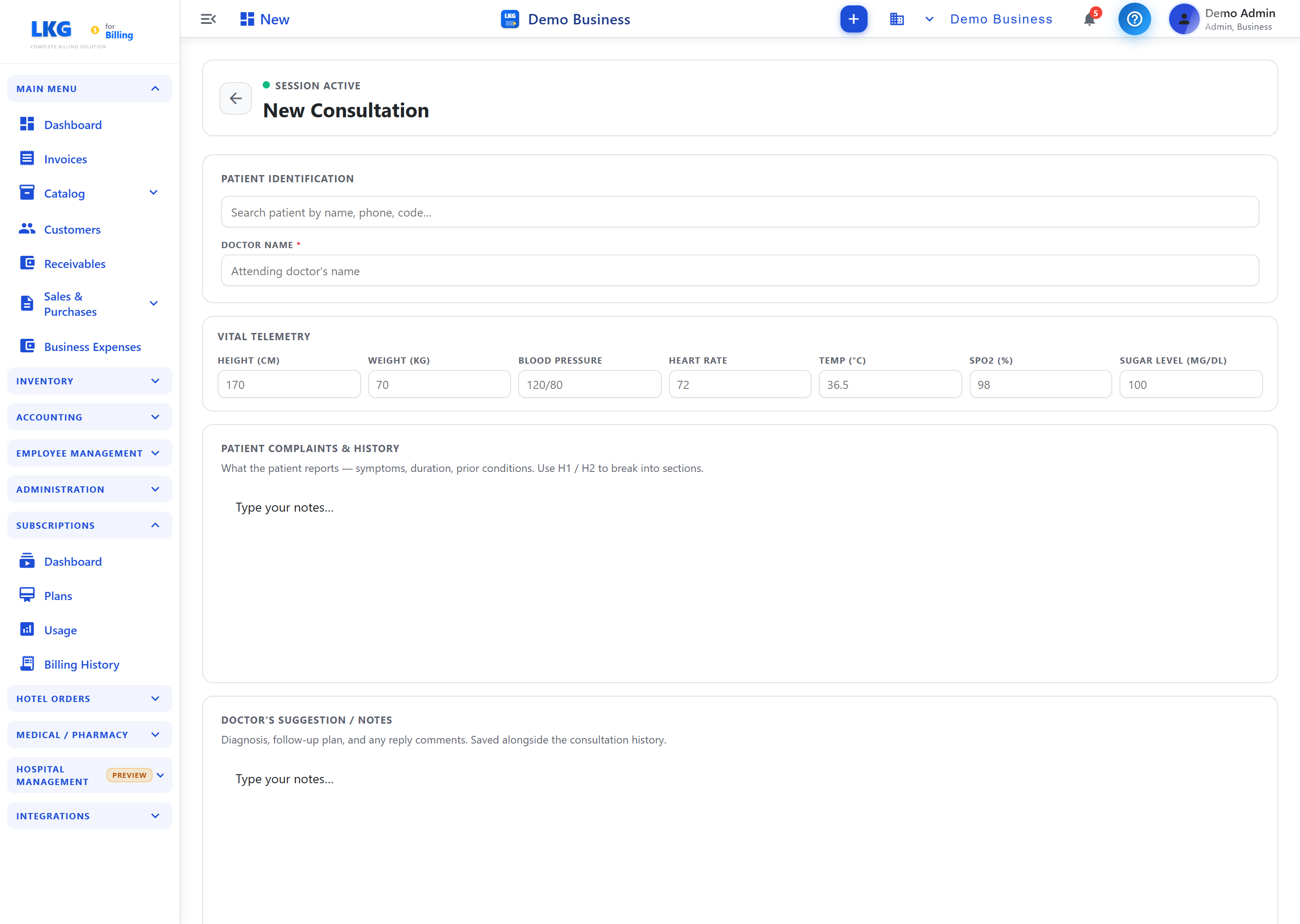
What a consultation captures
| Section | Purpose |
|---|---|
| Patient | Select the patient the consultation is for |
| History & Complaints | Presenting complaint and relevant history |
| Vital Telemetry | Vitals (e.g. BP, pulse, temperature, etc.) |
| Clinical Diagnosis | The doctor's diagnosis |
| Pharmacy Recommendations | Select medications to prescribe |
| Notes | Additional clinical notes |
| Print Preview | Preview the consultation/prescription for printing |
Workflow
- Open New Consultation and select the patient
- Record complaints, vitals and the diagnosis
- Add prescribed medications under Pharmacy Recommendations
- Save the consultation — it appears in the patient's record and any prescription flows to the Pharmacy approval queue
- A partially completed consultation is kept as a Consultation Draft
Roles: clinical roles — Doctor, Nurse and Hospital Admin.
Related
- Patients — the patient directory
- Pharmacy — dispense the prescribed medicines
- Hospital Overview