🏥 Operation Theater
Schedule surgeries, assign operating rooms and surgical teams, track procedure status, and manage OT billing.
Navigate to Hospital → Operation Theater.
Overview
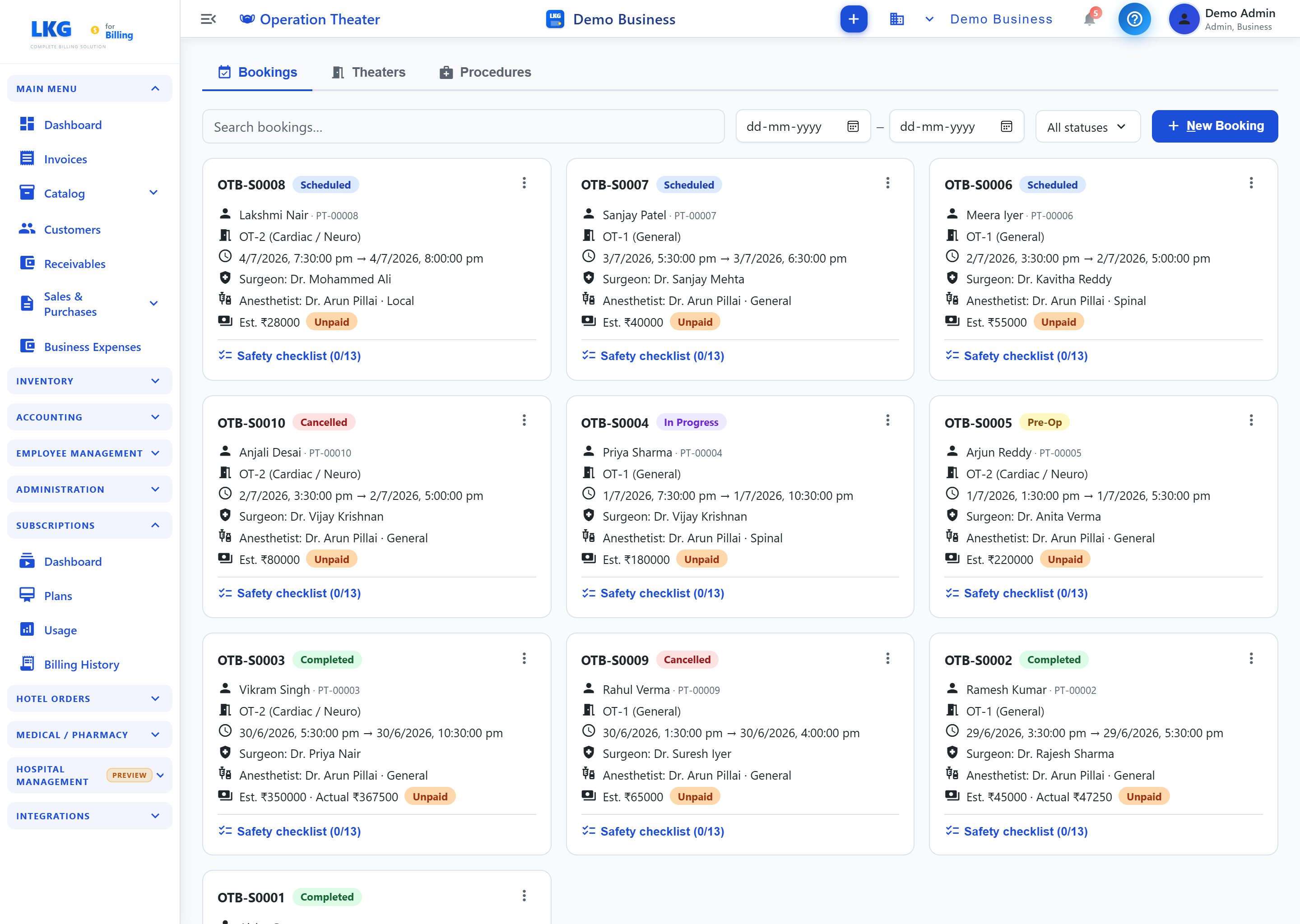
Operation Theater has three tabs:
| Tab | Purpose |
|---|---|
| Bookings | Schedule and track surgery bookings |
| Theaters | Manage operating rooms |
| Procedures | Manage the procedure catalog |
Bookings
| Control | Description |
|---|---|
| Search bookings... | Search by patient or booking |
| Date range (From / To) | Filter by booking date |
| All statuses | Filter bookings by status |
| + New Booking | Schedule a new surgery |
Each booking is shown as a card with:
| Field | Description |
|---|---|
| Booking # | Booking identifier (e.g., OTB-S0008) |
| Status | Scheduled, Pre-Op, In Progress, Completed, or Cancelled |
| Patient | Patient name and ID |
| Theater | Assigned OT/theater (e.g., OT-2 (Cardiac / Neuro)) |
| Date & Time | Scheduled start → end time |
| Surgeon | Primary operating surgeon |
| Anesthetist | Assigned anesthetist and anesthesia type (e.g., General, Spinal, Local) |
| Cost | Estimated cost, and actual cost once completed |
| Payment Status | e.g., Unpaid |
| Safety Checklist | Checklist completion count (e.g., 0/13) |