Hospital Settings
Hospital → Settings is where you turn the module on and choose exactly which features your facility uses. Access is limited to Hospital Admin / Business Owner / Ward Manager.
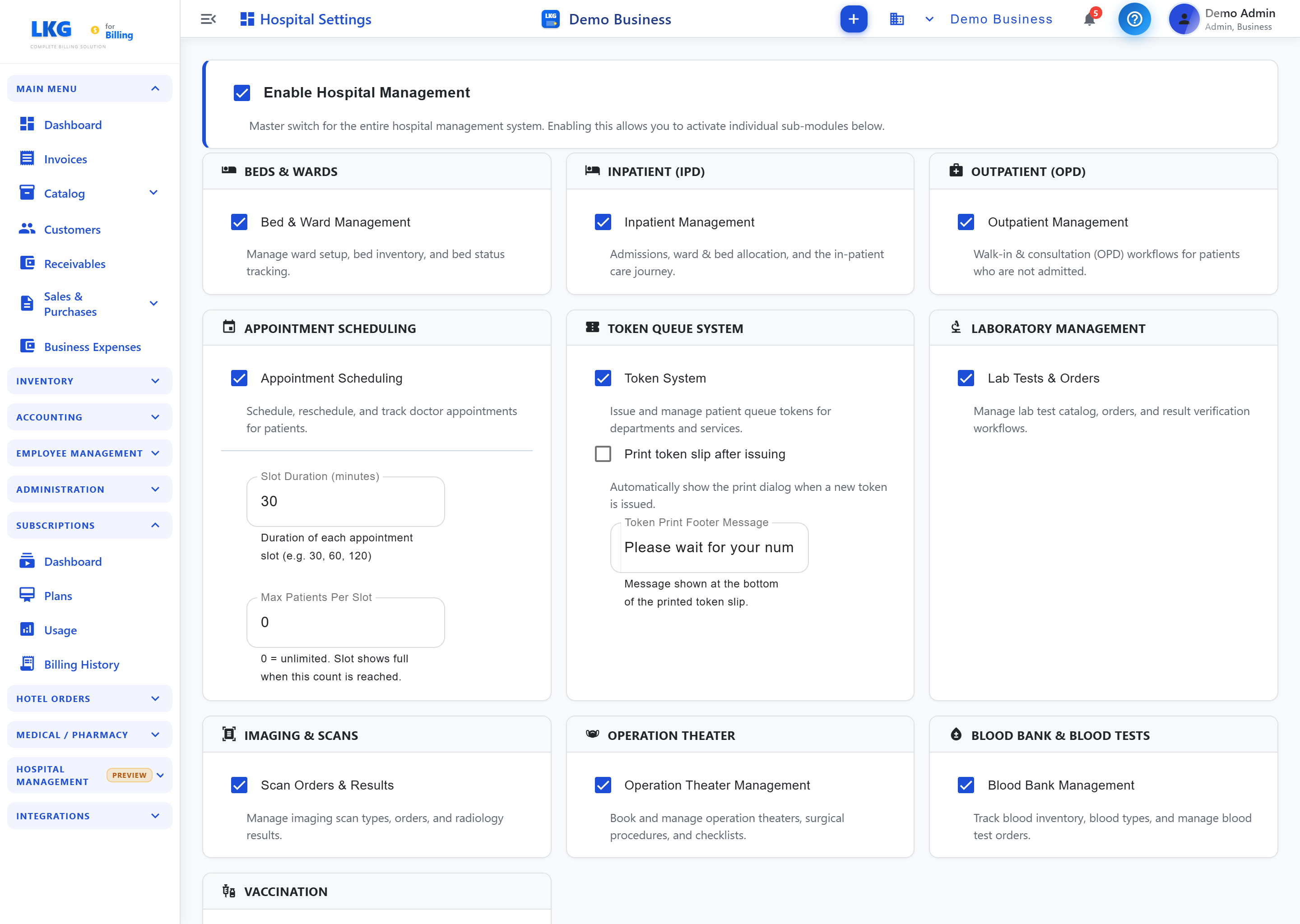
Enable Hospital Management
The master toggle Enable Hospital Management switches the whole module on. With it off, none of the hospital pages appear in the menu.
Feature toggles
Turn on only what you need — each toggle shows or hides the matching page:
| Toggle | Enables |
|---|---|
| Bed & Ward Management | Bed Management & Ward Management |
| Inpatient Management | Inpatient (IPD) |
| Outpatient Management | Outpatient (OPD) |
| Appointment Scheduling | Appointments |
| Token System | Token Queue |
| Lab Tests & Orders | Laboratory |
| Scan Orders & Results | Imaging & Scans |
| Operation Theater Management | Operation Theater |
| Blood Bank Management | Blood Bank |
| Vaccination Management | Vaccination |
Token Queue options
Under Token Queue System you can:
- Print token slip after issuing — automatically show the print dialog when a new token is issued.
- Token Print Footer Message — a custom line printed at the bottom of every token slip (e.g. "Please wait for your number to be called").
Consultation Fees
Set default consultation fee(s) so OPD visits and appointments can auto-apply the correct charge to the patient's invoice.
Security & Compliance (HIPAA)
- Require MFA for PHI access — force multi-factor authentication before any user can open records containing protected health information.
tip
Enable features gradually. You can switch any of them on later without losing data — the pages simply reappear in the menu.