Hospital Summary (Medical & Hospital Report)
The Hospital Summary report gives an at-a-glance count of hospital activity — how many of each item were added in a selected date range, alongside the running total. It's part of the Hospital / Pharmacy module.
Navigate to Accounting → Reports, expand Medical & Hospital Reports, and click the Hospital Summary card.
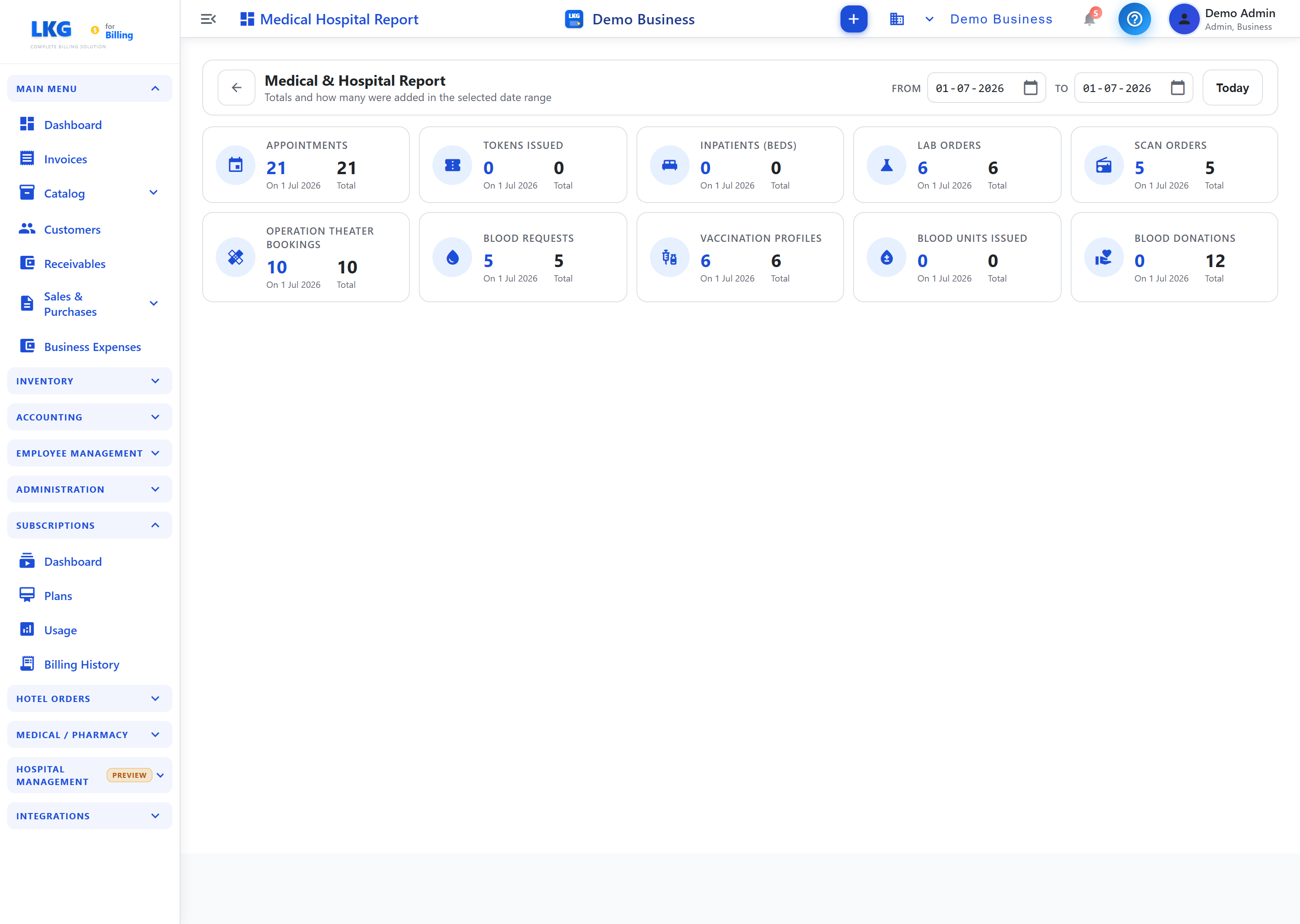
Page Controls
| Control | Description |
|---|---|
| From | Start date of the range (DD-MM-YYYY) |
| To | End date of the range (DD-MM-YYYY) |
| Today | Quick-set the range to the current day |
Summary Cards
Each card shows the count in the selected date range and the Total to date:
| Card | What it counts |
|---|---|
| Appointments | Patient appointments scheduled |
| Tokens Issued | Queue tokens issued |
| Inpatients (Beds) | Inpatient admissions |
| Lab Orders | Laboratory test orders |
| Scan Orders | Imaging / scan orders |
| Operation Theater Bookings | Surgery bookings |
| Blood Requests | Blood requests raised |
| Vaccination Profiles | Vaccination profiles created |
| Blood Units Issued | Blood units issued from the blood bank |
| Blood Donations | Blood units donated/registered |
How to Use
- Navigate to Reports from the sidebar
- Expand Medical & Hospital Reports and click the Hospital Summary card
- Set the From / To dates (or click Today)
- Read each card's range count and running total
note
This report is relevant when the Hospital / Pharmacy module is enabled.
Related Topics
- Hospital / Pharmacy Overview — the hospital module