Patients (Patient Directory)
The Patient Directory is the clinical registry of everyone treated at your facility. Reached from the Medical / Pharmacy → Patients menu.
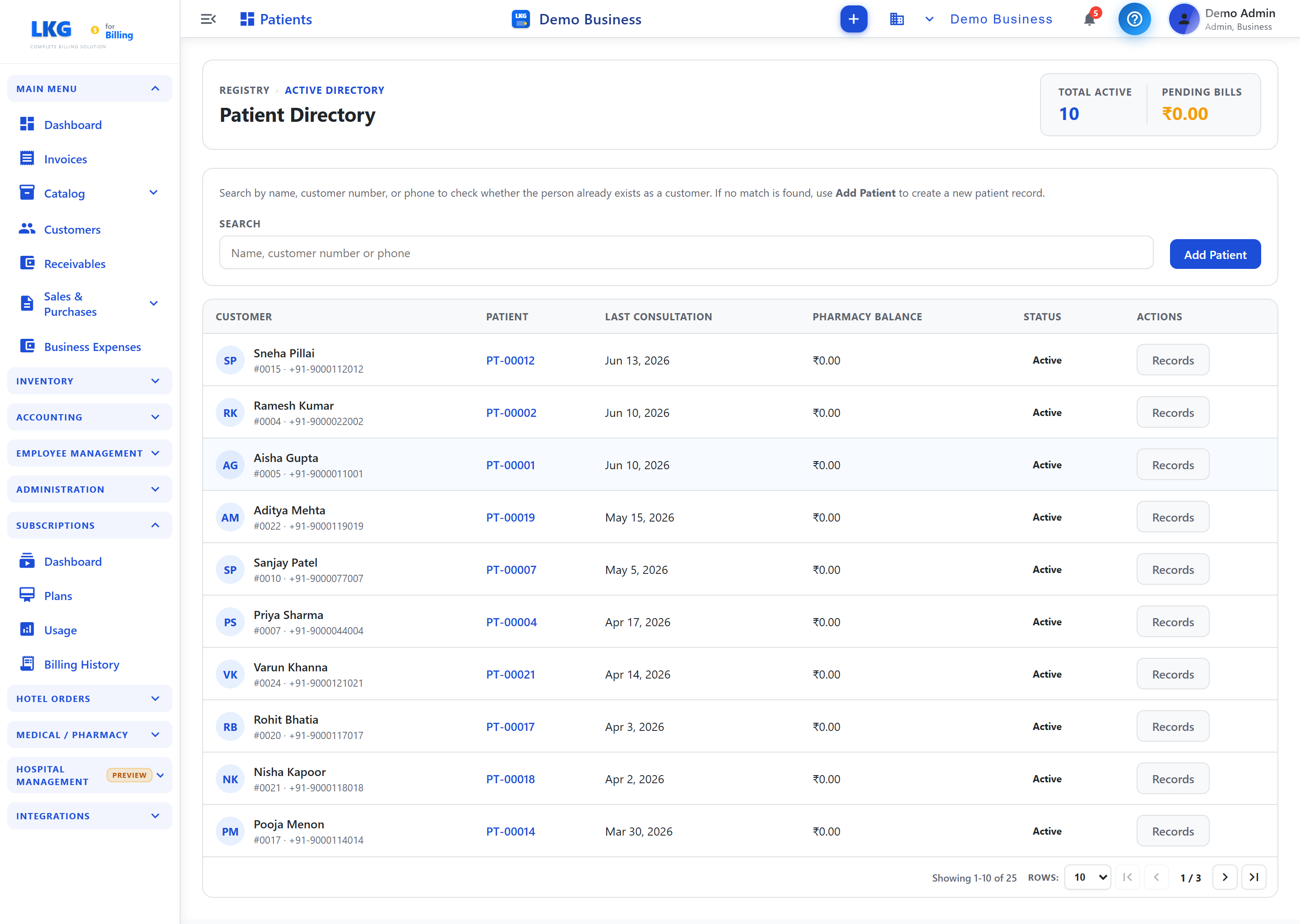
Header cards
| Card | Shows |
|---|---|
| Total Active | Number of active patients |
| Pending Bills | Total unpaid amount across patients |
Finding & adding patients
Search by name, customer number, or phone to check whether the person already exists as a customer. If there's no match, click Add Patient to register a customer as a new patient record.
Directory table
| Column | Description |
|---|---|
| Customer | Name, customer number and phone |
| Patient | Patient ID (e.g. PT-00012) — click to open the patient's record |
| Last Consultation | Date of the most recent consultation |
| Pharmacy Balance | Outstanding pharmacy dues |
| Status | Active / inactive |
| Actions | Records — open the patient's full history |
Patient record
Opening a patient (via the Patient ID link or Records) shows their detail page — visits, treatments & reports, appointment suggestions, and the ability to add a new test result or scan.
Roles: Hospital Admin, Doctor, Nurse, Receptionist and related clinical roles.
Related
- New Consultation — record a doctor consultation
- Pharmacy — dispense prescriptions
- Hospital Overview