Outpatient Rooms & Counters
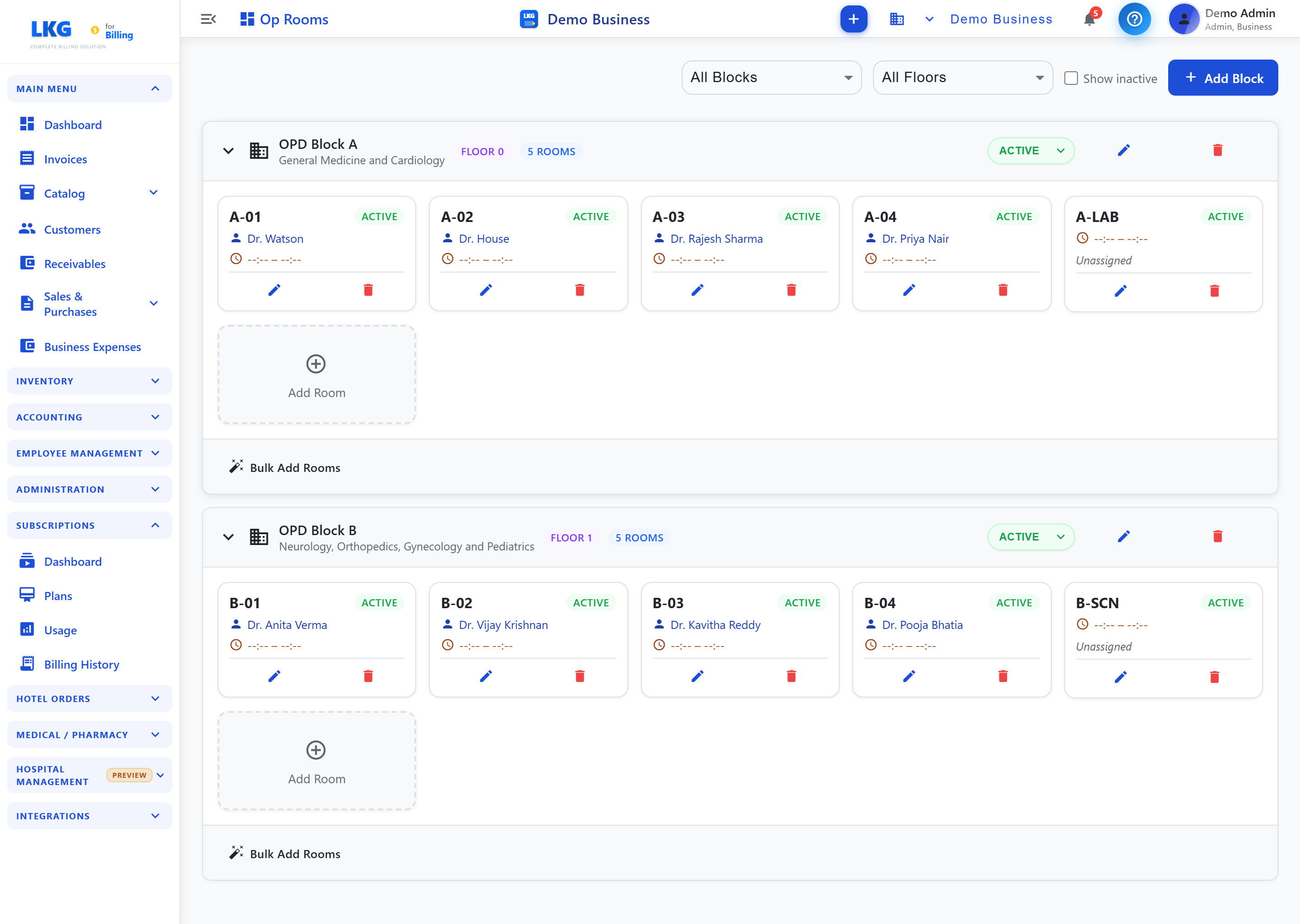
Configure the physical layout for outpatient consultations (the Op Rooms page). Available to Hospital Admin.
What you can do
- Filter by Block and Floor, and toggle Show inactive.
- + Add Block — create a block (e.g. OPD Block A — General Medicine and Cardiology), with a floor, an Active/Inactive toggle, and edit/delete.
- Within a block, add rooms as cards (e.g.
A-01), each with an assigned doctor, an Active status, and edit/delete. Use Add Room or Bulk Add Rooms to add several at once.
note
Token counters are managed from the Token Queue page (via New Counter), not here.
Why it matters
- Consultation rooms (with their assigned doctor) organise the OPD flow.
- Tokens are issued and called per counter.
Setup order
- Add blocks (department/floor groupings).
- Add rooms to each block and assign a doctor.
- Add counters from the Token Queue page.