🏥 Staff Roster
Create and manage staff shift schedules for doctors, nurses, and other hospital staff.
Navigate to Hospital → Staff Roster.
Overview
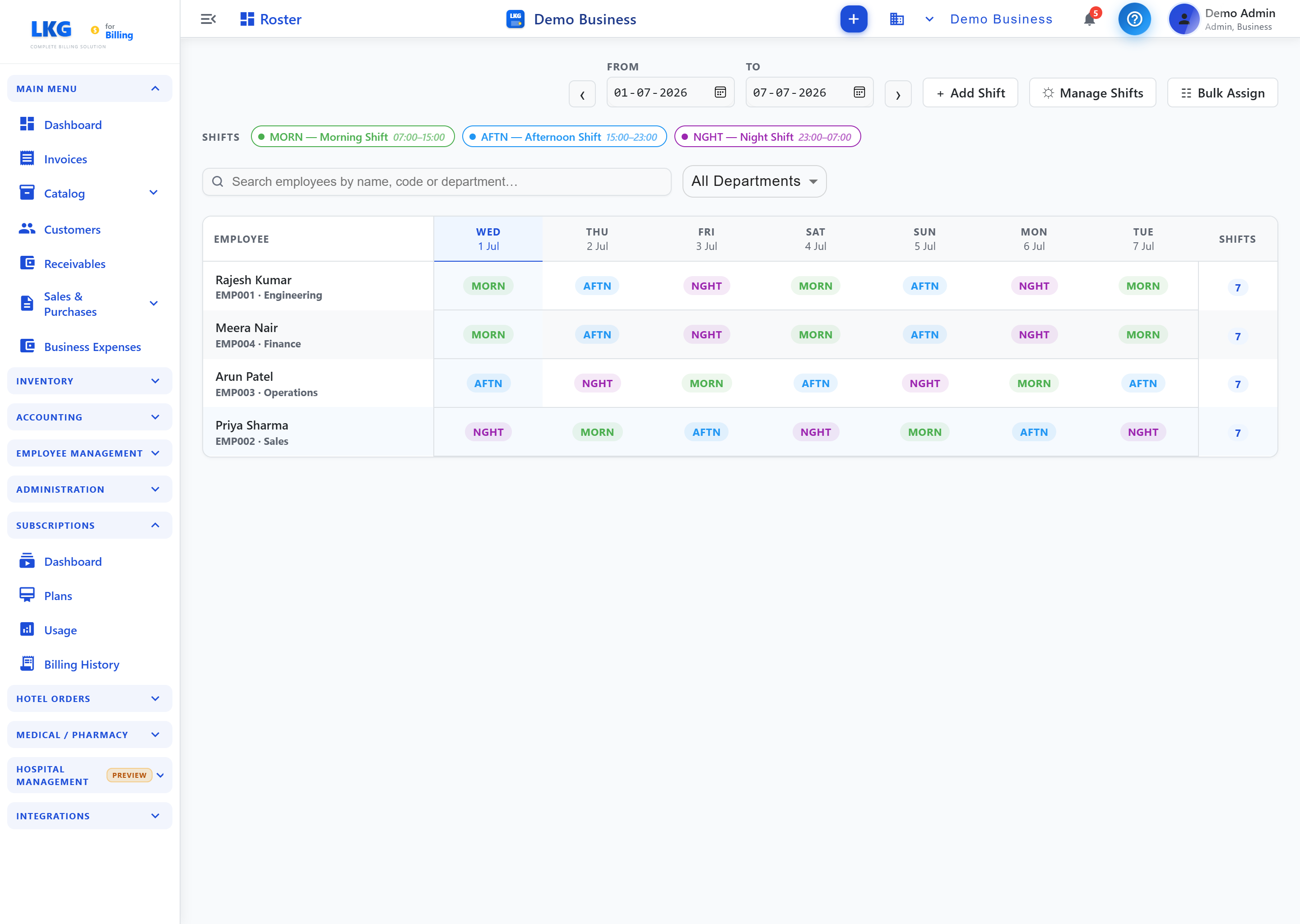
Staff Roster shows a weekly grid of shift assignments per employee.
| Control | Description |
|---|---|
| From / To (with ◀ / ▶) | Date range for the roster grid, steppable by arrows |
| + Add Shift | Assign a shift to an employee |
| Manage Shifts | Manage the shift-type definitions (e.g., timings) |
| Bulk Assign | Assign shifts to multiple employees at once |
| Search employees by name, code or department... | Search the employee list |
| All Departments | Filter employees by department |
Shift Types
A legend at the top shows the configured shift types, each with a time range, e.g.:
| Shift | Time |
|---|---|
| MORN — Morning Shift | 07:00–15:00 |
| AFTN — Afternoon Shift | 15:00–23:00 |
| NGHT — Night Shift | 23:00–07:00 |
Roster Grid
| Column | Description |
|---|---|
| Employee | Employee name, code, and department |
| Day columns | One column per day in the selected range, showing the assigned shift code (e.g., MORN, AFTN, NGHT) |
| Shifts | Total number of shifts assigned in the selected range |