Patienthistorik
Siden Patienthistorik viser den komplette journal for én patient — alle konsultationer, ordineret medicin, vitale data og rapporter i kronologisk rækkefølge.
Åbn den fra Patientregister ved at klikke på Records ved siden af en patient, eller klik direkte på Patient ID-linket.
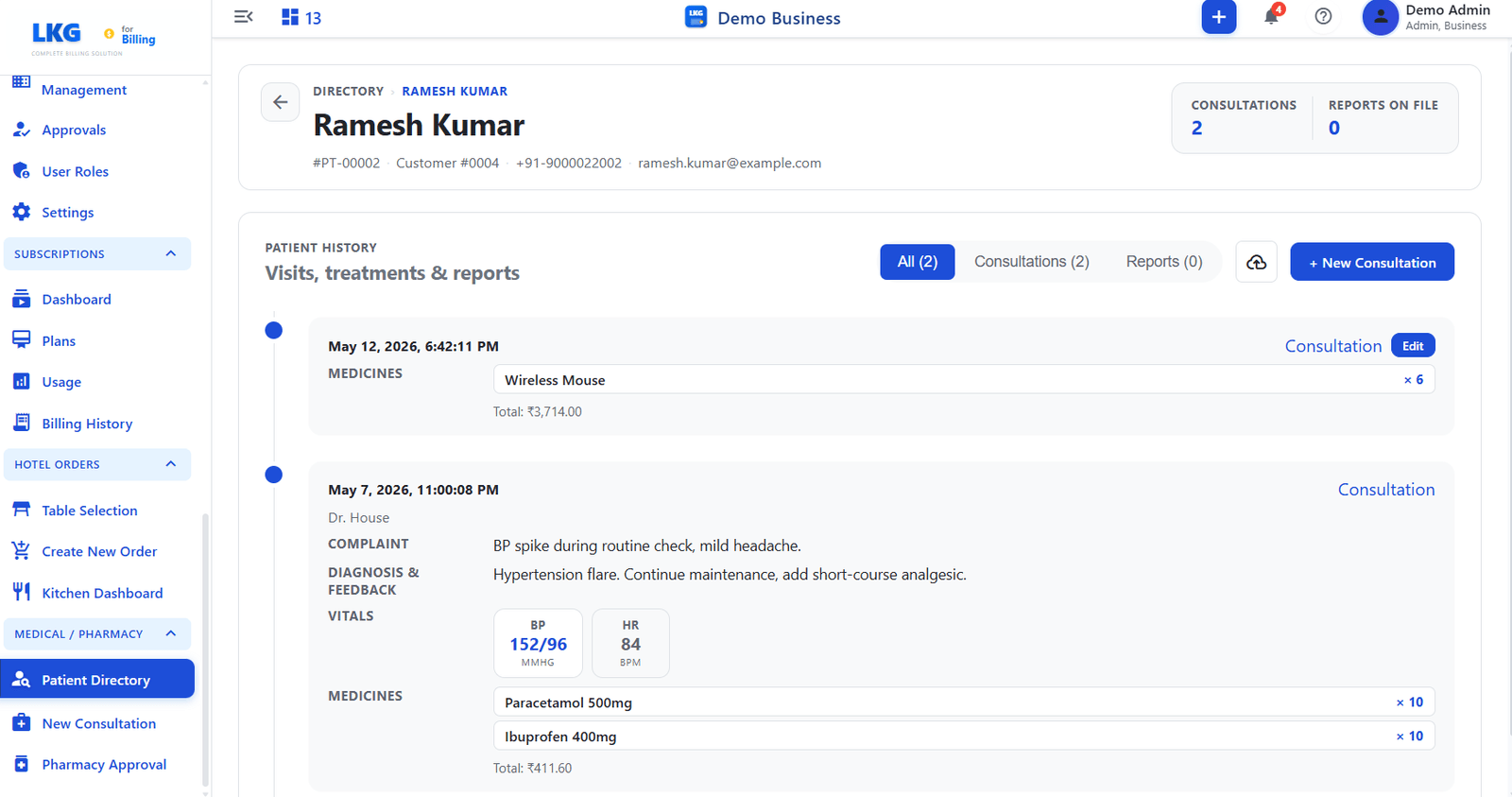
Sidehoved
The top of the page shows identity details for the selected patient.
| Felt | Beskrivelse |
|---|---|
| Name | Patient full name |
| Patient ID | Unique patient identifier, for example PT-00002 |
| Customer # | Linked customer account number |
| Phone | Registered phone number |
| Patient email address |
Opsummeringsstatistik
| Statistik | Beskrivelse |
|---|---|
| Consultations | Total number of consultation visits recorded for this patient |
| Reports on File | Number of uploaded clinical reports attached to the patient record |
Tidslinje for patienthistorik
The PATIENT HISTORY section lists all visits and reports.
Filterfaner
| Tab | Beskrivelse |
|---|---|
| All | Shows consultations and reports together |
| Consultations | Filters to consultation entries only |
| Reports | Filters to uploaded report entries only |
Tidslinjepost — konsultation
| Felt | Beskrivelse |
|---|---|
| Date & Time | Timestamp of when the consultation was recorded |
| Læge | Navnet på den behandlende læge, hvis det er angivet |
| Complaint | Patient reported symptoms from the notes field |
| Diagnose og feedback | Lægens fund og behandlingsnoter |
| Vitals | Chip-style display of recorded values, for example BP 152/96 MMHG, HR 84 BPM |
| Medicines | List of prescribed medicines, quantities, and total cost |
Handlinger
| Knap | Beskrivelse |
|---|---|
| Edit | Opens the consultation for editing, available on the most recent entry |
| + Ny konsultation | Starter en ny konsultation for denne patient |
| Download icon | Exports the patient history |
bemærkning
Lægemidler i en konsultationspost vises i køen Apoteksgodkendelse, indtil apoteket gennemgår og godkender dem.